Clarative’s context layer combines knowledge of existing data source systems, business nuance, and context about user intent to create a virtual data model, purpose-built to answer your question or to help you discover data.
Vendor Performance Monitoring with Clarative
Companies across industries are transforming their vendor oversight by letting Clarative handle the heavy lifting of performance monitoring. By adding their vendors and contractual SLAs, they can maintain an organized registry of vendor obligations, access Clarative insights to create instant board-level and internal performance reports, and comply with global regulations.
Who's Involved?
Third-Party Risk Managers who need to monitor vendor performance and maintain compliance with global regulations
Setup
1. Add Your Vendors
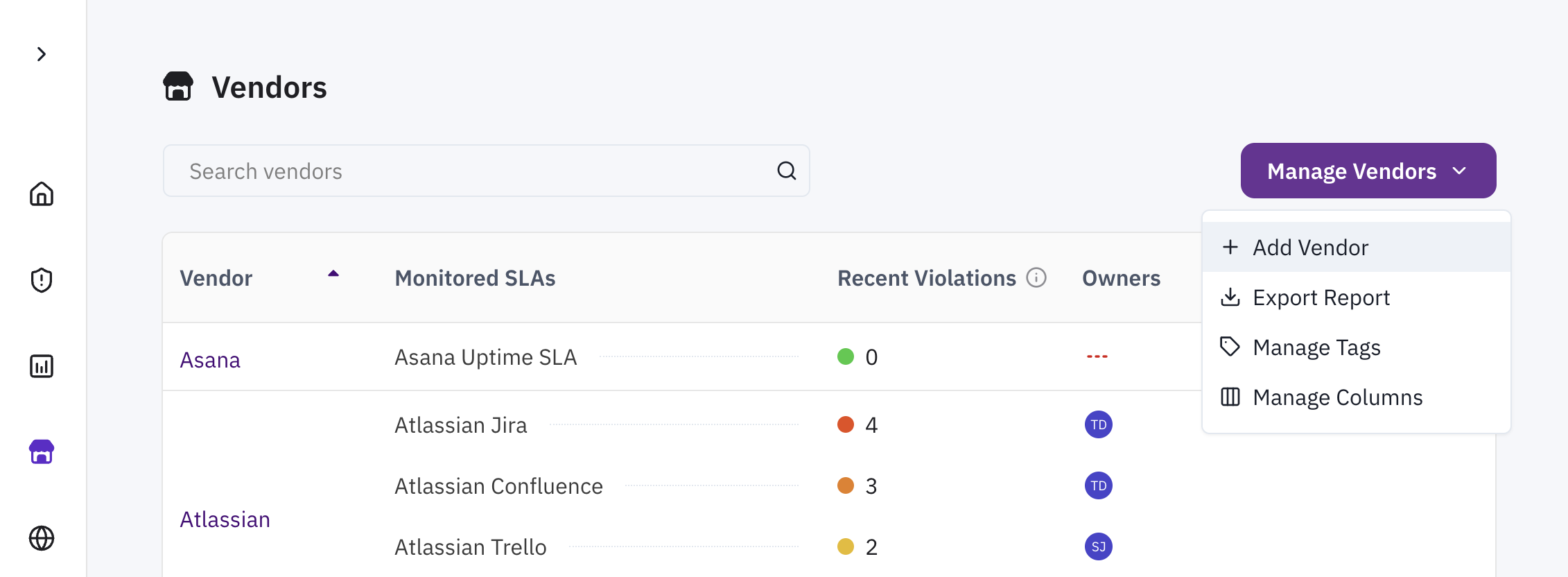
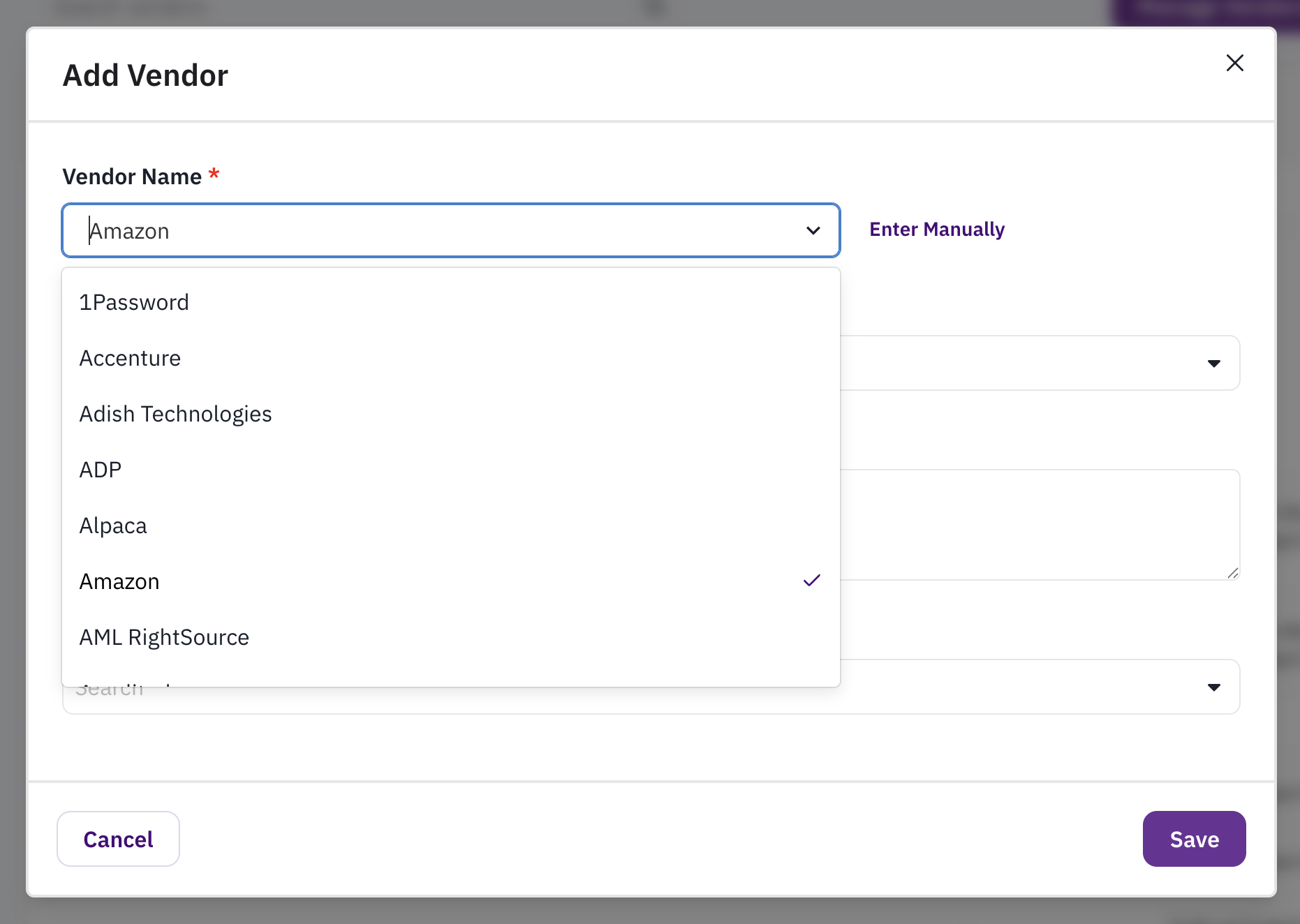
First, add your vendors to Clarative. On the Vendors tab, you can click “Manage Vendors” to open the “Add Vendors” modal.
From here, you can select from a list of vendors Clarative is already monitoring, or enter a new one manually.
2. Set up your SLAs
Next, you’ll want to set up your SLAs so that Clarative knows how to connect performance data to your contractual obligations. There are three types of SLAs:
Uptime SLAs
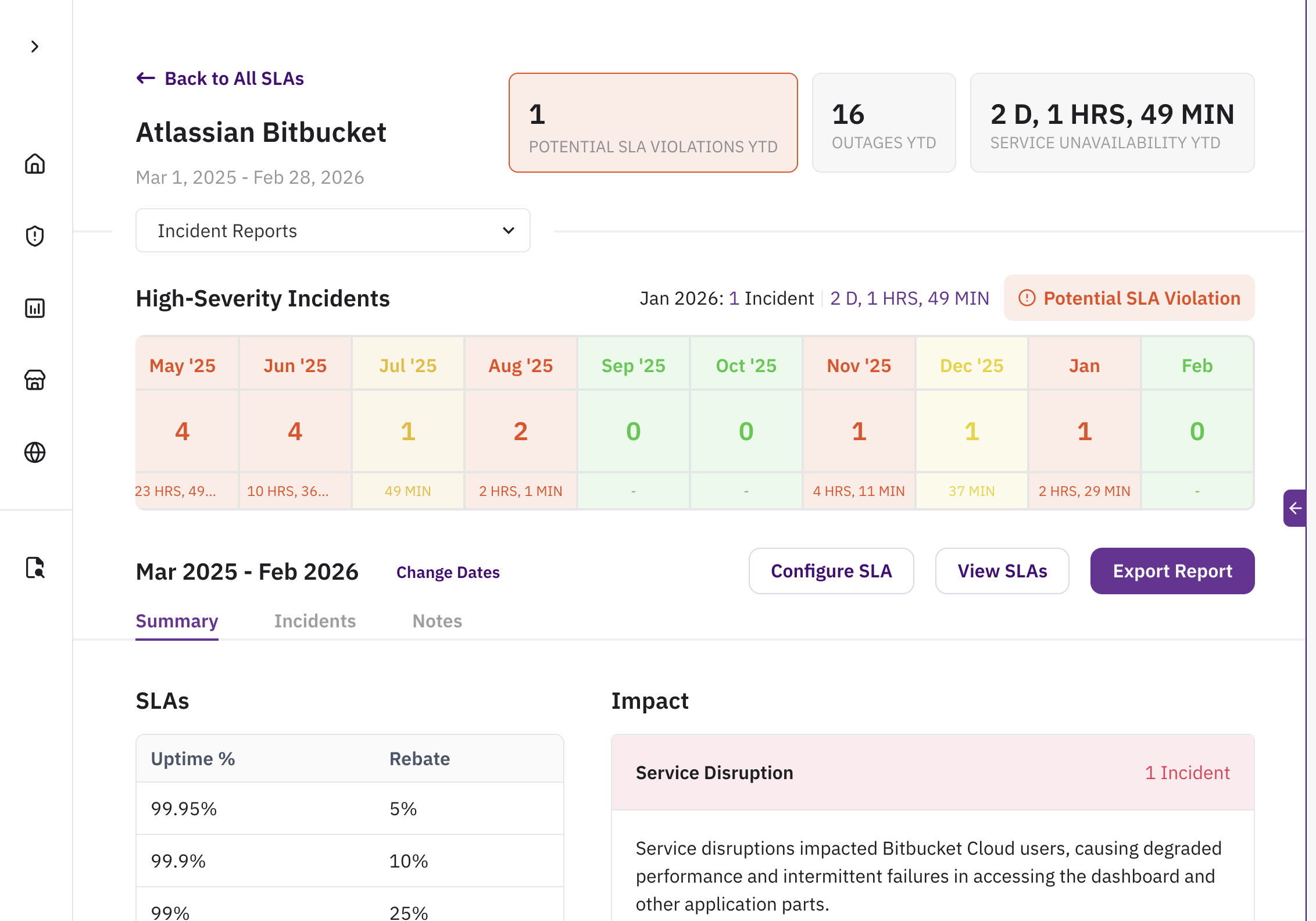
When the vendor is contractually obligated to keep their IT service(s) running with high fidelity, Clarative can automatically track whether these services remain usable and performant.
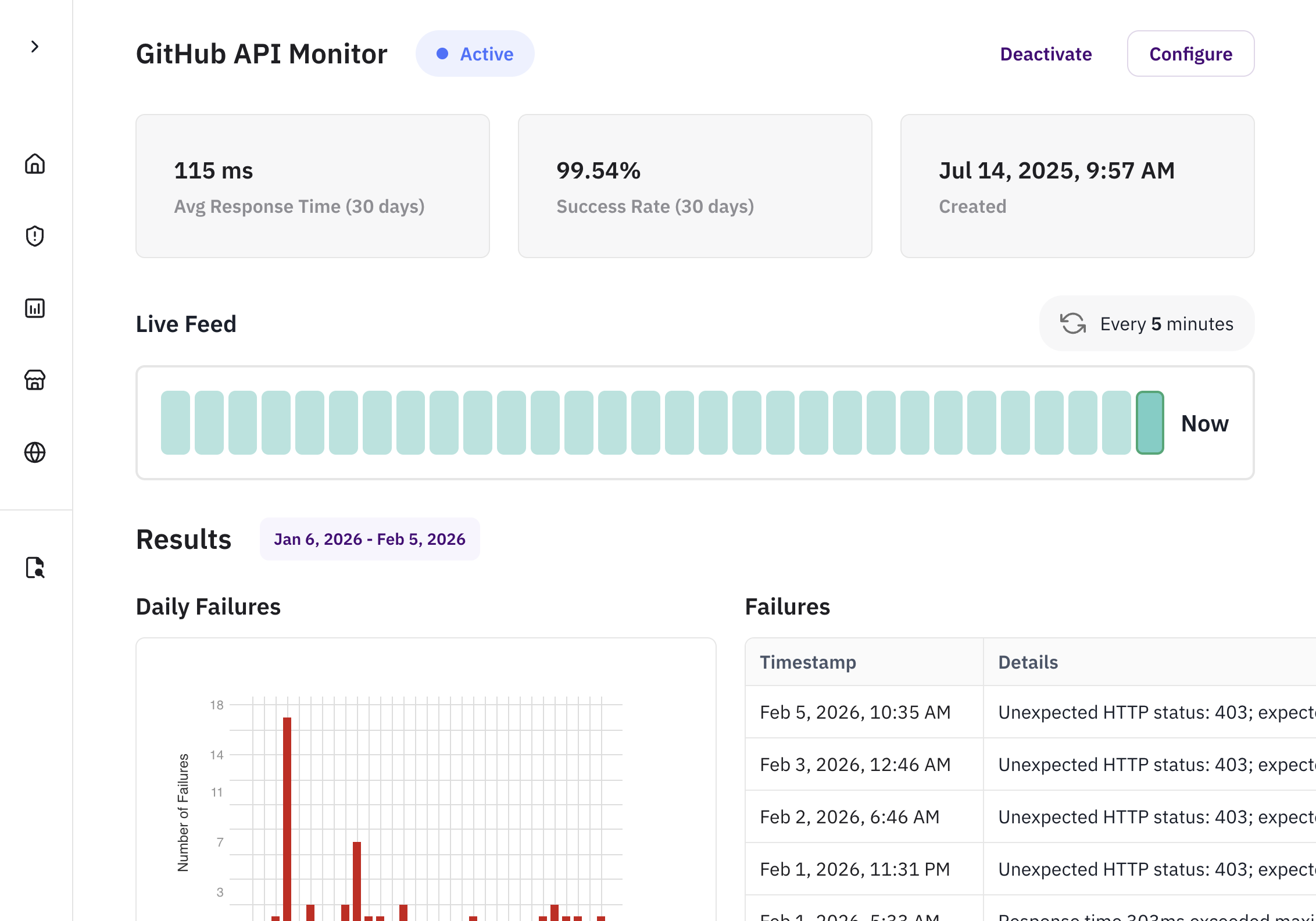
When vendors do not have incident reports or status pages, synthetic monitors continuously test the availability and performance of your vendor applications by simulating requests. If any condition is not met, the request is marked as failed, providing immediate visibility into vendor performance issues before they impact your operations.
When the vendor has a concrete, measurable obligation that your organization tracks by repeatedly requesting performance data directly from the vendor (or from the business owner if performance is tracked internally), Clarative can track these obligations by automating data collection and evaluation.
Clarative’s context layer combines knowledge of existing data source systems, business nuance, and context about user intent to create a virtual data model, purpose-built to answer your question or to help you discover data.
So What?
With your vendors all set up, there are a variety of ways you can leverage your vendor performance data in your workflows
System of Record for all SLA Compliance Data
Clarative’s SLA Registry extracts and organizes SLAs across vendor contracts. See all SLAs in one place, classify obligations by vendor criticality, and instantly identify gaps in performance monitoring.
How It Works
Impact
Creates a single source of truth for all SLA obligations, eliminating blind spots and making it easy to surface vendors with missing or incomplete monitoring.
Demonstrates a mature, well-governed TPRM program by maintaining centralized, audit-ready evidence of SLA coverage, monitoring sources, and identified gaps.
Accelerates issue detection and remediation by clearly highlighting which vendors are missing SLAs or performance data, enabling proactive follow-up before risks escalate.
Board-Level Reporting
Clarative helps you create instant reports for stakeholder visibility on vendor performance. You get a birds-eye view of how your vendors are performing against their SLAs
How It Works
Impact
Demonstrates the depth and maturity of the TPRM program by giving leadership clear evidence of continuous monitoring, SLA tracking, and structured vendor oversight.
Strengthens executive oversight and governance by giving the board verifiable, metrics-driven insight into third-party performance, enabling more informed strategic and risk decisions.
Reduces effort in preparing quarterly or annual board materials, providing audit-ready evidence that vendor performance and SLA adherence are actively monitored at the leadership level.
Efficient Internal Reviews
Quickly identify underperforming vendors so you can focus efforts on those who need business reviews or performance improvement plans. Additionally, leverage Clarative data in conversations to help with negotiations.
How It Works
Impact
A Clarative customer leverages vendor performance data to identify vendors that need business reviews. However, they not only identify vendors with SLA violations, they also look at vendors who technically are within contractual limits but are still experiencing significant outages. This helps the team craft conversations on a “path to green” to improve vendor performance before user experience worsens.
"We have a vendor that always skirts just above the contractual SLA limit. We were excited to show them the year‑long view to be able to say 'look, in general you are not being a good partner"
- Head of Third Party Risk @ Fintech Company
Adherence to Global Regulations
Clarative links incidents and outages directly to contractual SLAs and regulatory requirements to prove you are tracking critical vendors. Exported reports show audit-ready evidence of monitoring and response.
How It Works
Impact
Provides audit-ready evidence that critical vendors are continuously monitored in alignment with major regulations including DORA Article 28 & RTS, EBA Outsourcing Guidelines, UK PRA SS2/21, and U.S. OCC Third-Party Risk Management Guidance.
Ensures SLA performance, incidents, and outages are directly traceable to the regulatory obligations they support—making cross-jurisdictional compliance easy to demonstrate for regulators, auditors, and internal compliance teams.
Demonstrates a mature, well-structured TPRM program by showing that all critical ICT and outsourced service providers are consistently tagged, tracked, and monitored in line with global supervisory expectations (DORA, EBA, PRA, OCC, MAS).